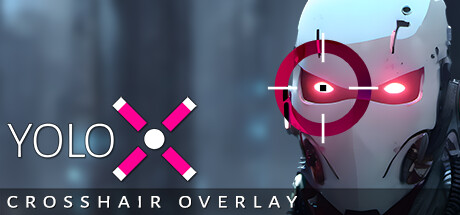
YoloX - Crosshair Overlay
Review score
7
Positive reviews
30
Negative reviews
6
Genres
Action,Adventure,Indie,Utilities
Tags
YoloX is an always-visible crosshair overlay built for FPS games. From dynamic visibility to reactive feedback and smooth fullscreen overlays, YoloX keeps your crosshair readable, reliable, and anti-cheat safe — without unsafe hooks. Always-Visible Crosshair Automatically inverts color against the game so your crosshair stays...
Description
YoloX is an always-visible crosshair overlay built for FPS games. From dynamic visibility to reactive feedback and smooth fullscreen overlays, YoloX keeps your crosshair readable, reliable, and anti-cheat safe — without unsafe hooks. Always-Visible Crosshair Automatically inverts color against the game so your crosshair stays visible over any background. Zoom Add scope-style zoom to any weapon — even a knife! Audio Sensor Visual reactions to game audio. Listen to music without missing important cues like shots or footsteps. Features Always-Visible : Dynamic color inversion ensures consistent crosshair visibility. Anti-Cheat Safety : GameBar support, whitelisting, code signing, overlay only (no dangerous hooks). Fullscreen : Works in dedicated fullscreen. Fast & Lightweight : Highly optimized. No lag. No FPS drops. Profiles : Per-game crosshair, size, offset, and hotkeys. Audio Sensor : Visual reactions to game audio like shots or footsteps. Motion Sensor : Visual reactions to mouse activity or movement. Animations : Separate animations for main fire, alt fire, jump, and more. Variety : Includes many crosshairs and more by community users, pros, and streamers. Publish : Publish to the community and share with friends. Hotkeys : Switch crosshairs, scale, offset, toggle visibility, or zoom power. Settings : Settings to autohide, autostart, desync from Steam (hide playing status), and more. Input : XBox controller support. Crosshair Creation Features Design simple or advanced crosshairs with full creative control. Layers : Multiple layers allowing complex designs. Shapes : Use included vector shapes or add your own images. Patterns : Single, dual, T, or + patterns. Blending and Effects : Inverted, zoom, blur, and more. Actions : Separate animations by main fire, alt fire, and idle. Animation : Full keyframe animation with tweenable properties like position, rotation, color, and images. Audio and Motion : Customize crosshair response to audio and motion. Any crosshair is possible! Getting Started Open your game and press CTRL+SHIFT+P to assign a crosshair. Repeat to assign other crosshairs. For the full menu, click the pink X taskbar icon. Notes Effects : Inverted color, zoom, audio, and motion effects are crosshair-specific and depend on the crosshair design. Included crosshairs demonstrate all features. Anti-Cheat Safety : YoloX operates like other widely accepted game overlays and includes multiple safety and compliance measures. It is routinely tested with major FPS titles. Always verify compatibility with a specific game’s ToS before use. Dedicated Fullscreen : When not using Game Bar, this may require enabling the NVIDIA setting: Vulkan/OpenGL Present Method: prefer DXGI swapchain